
How to Save Instagram Photos from Posts: A Comprehensive Guide
In today’s digital world, social media plays a pivotal role in how we share and consume content. Instagram, in particular, stands out as a premier platform for sharing stunning visuals. However, there’s often a desire to save these incredible photos for personal use or inspiration. If you’ve ever wondered how to save Instagram photos from posts, you’re not alone. This comprehensive guide will explore various methods to download images safely and effectively, ensuring you can preserve moments you love.
Understanding Instagram’s Policies
Before diving into the mechanics of saving images, it’s important to be aware of Instagram’s terms of service. Instagram allows users to share their photos with others, but saving or reposting someone else’s content without permission can infringe on their copyright. Always seek permission before downloading or sharing someone else’s work, and consider the ethical implications of reposting.

Why People Want to Save Instagram Photos
There are numerous reasons why individuals may want to save Instagram photos, including:
- Personal Inspiration: Many users save images that resonate with their interests, such as photography, fashion, travel, or food.
- Creating Collections: Users may want to create mood boards or collections of favorite images for future reference.
- Memories: Sometimes we want to save moments captured in posts that are meaningful to us, be it from friends or loved ones.
Methods to Save Instagram Photos from Posts
1. Taking Screenshots
The most straightforward method to save Instagram photos is simply taking a screenshot. This method is quick and doesn’t require any additional apps or software. On most smartphones, you can take a screenshot by pressing the power and volume down buttons simultaneously. However, this method may result in lower quality images and won’t capture images without cropping.
2. Using Built-In Features
Instagram offers a feature called “Save Posts,” which allows you to save photos and videos to a “Saved” folder within the app. While this doesn’t allow you to download files directly to your device, it does let you revisit your favorite posts easily. You can save a post by tapping the three dots in the top right corner and selecting “Save” from the menu.
3. Third-Party Apps and Websites
Various apps and websites can help you download Instagram photos more effectively. Here’s how they work:
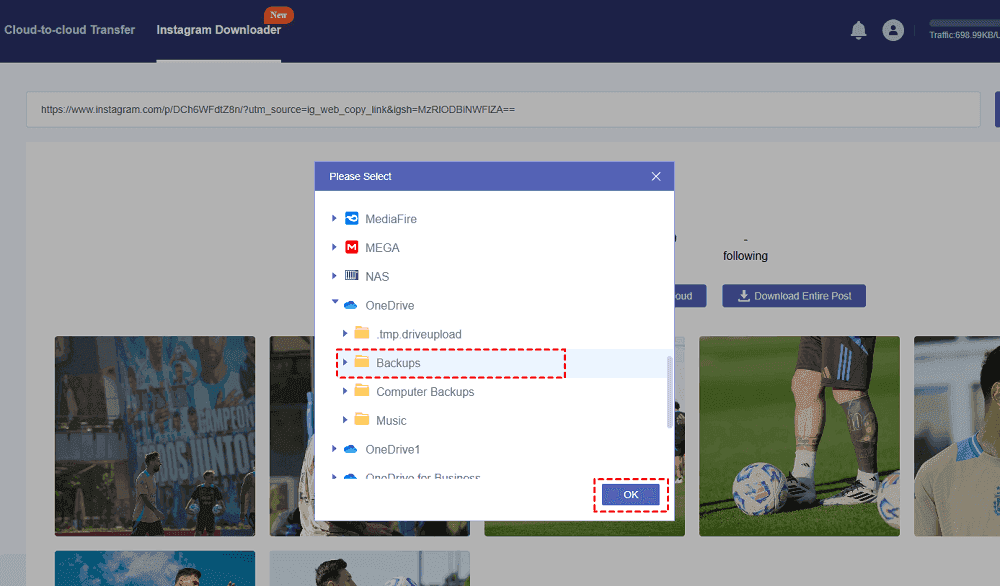
- Instagram Downloaders: Many websites allow you to paste an Instagram post URL and download the photo or video directly. One such tool is the Instagram Post Downloader. These services typically require you to copy the URL of the post you want to download, paste it into the downloader’s interface, and click a download button.
- Mobile Apps: Numerous apps in both the Google Play Store and Apple App Store enable users to save Instagram photos and videos. Popular options include “FastSave” and “Repost for Instagram.” These apps often offer additional features such as reposting images while giving credit to the original user.
4. Saving from Desktop
If you prefer using a computer, there are also ways to save Instagram photos directly from the web version. You can right-click on the image and select “Save Image As” to download it to your computer. Just like with mobile devices, be mindful of copyright and best prac

tices when using this method.
Best Practices When Saving Instagram Photos
While saving images from Instagram can be straightforward, here are some best practices to keep in mind:
- Always Request Permission: If you want to share someone else’s photo, reach out and ask for permission beforehand.
- Credit the Original Creator: If you repost someone else’s photo, give proper credit to the original creator by tagging them in your post.
- Use Images Responsibly: Avoid using saved images for commercial purposes without the owner’s consent.
The Importance of Quality
When saving Instagram photos, the resolution and quality can vary significantly. Screenshots tend to drop quality, while using downloader tools can preserve the original quality. Always opt for tools that specifically mention high-resolution downloads to ensure the best outcome.
Final Thoughts
Saving photos from Instagram can be a rewarding experience, allowing users to curate inspiring collections and capture memories. However, it’s crucial to navigate the task responsibly and ethically. Whether you choose to screenshot, use built-in features, or employ third-party tools, you now have the knowledge to save Instagram photos while respecting the platform’s community guidelines and content creators’ rights.